




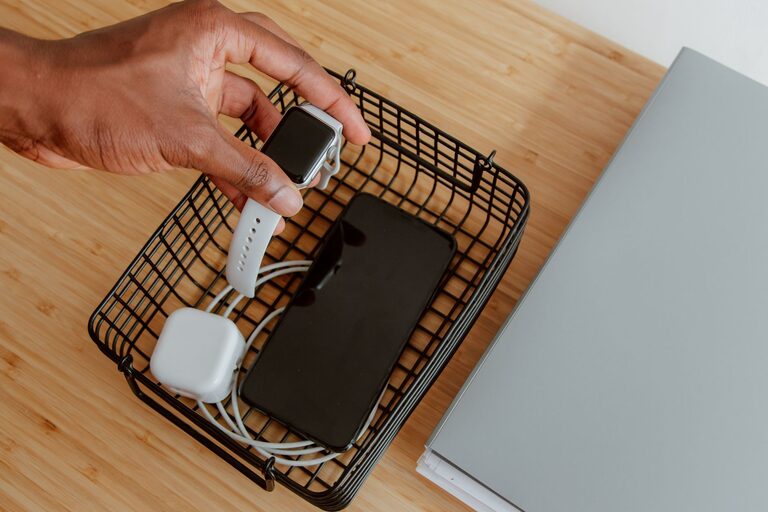
Creating a dedicated charging station for your devices can help keep your home organized, prevent clutter, and ensure your gadgets are always powered up and ready to go. Whether you have smartphones, tablets, laptops, or other rechargeable devices, setting up a charging station is a practical solution that simplifies your daily routine.
In this guide, we’ll take you through the steps to set up an efficient and safe charging station at home, including choosing the right location, selecting charging equipment, and organizing your cables.
Why Set Up a Charging Station?
Before diving into the setup process, let’s quickly explore why a charging station is beneficial:
– Reduces clutter: Instead of having cables and chargers scattered around, everything is stored neatly in one place.
– Improves device care: Proper charging stations can prevent damage from tangled cables and overcharging.
– Saves time: You always know where to charge and find your devices.
– Enhances safety: Reduces risks of tripping over cables or causing electrical hazards.
Step 1: Choose the Right Location
The first step is to pick a convenient spot for your charging station. Consider these factors:
– Accessibility: A central location such as a living room corner, home office desk, or kitchen counter works well.
– Proximity to power outlets: Ensure there are enough plugs nearby to support multiple devices.
– Ventilation: Avoid enclosed spaces to prevent devices from overheating while charging.
– Surface: Choose a flat, stable surface such as a table, shelf, or charging station stand.
Step 2: Assess Your Devices and Charging Needs
Next, take inventory of the devices you want to include in your charging station. Common devices might include:
– Smartphones and tablets
– Laptops or notebooks
– Smartwatches and fitness trackers
– Wireless earbuds or headphones
– E-readers and portable gaming consoles
Make note of how many devices you want to charge simultaneously and which charging ports or technologies they require (e.g., USB-A, USB-C, wireless charging).
Step 3: Select Charging Equipment
Selecting the right charging equipment is key to an effective station.
Charging Hubs and Power Strips
– Multi-port USB chargers: These offer multiple USB ports in one unit, reducing the number of individual adapters needed.
– Power strips with USB ports: Combine traditional outlets with built-in USB charging.
– Wireless charging pads or stands: Suitable for compatible devices, reducing cable clutter.
Charging Cables and Accessories
– Use cables of appropriate length to minimize excess slack.
– Consider cable organizers or clips to keep cables tidy.
– Label cables if you have multiple similar devices.
Optional Accessories
– Charging station organizers: These include slots or compartments to hold devices upright while charging.
– Cable sleeves or boxes: Hide cables and power strips to keep the area neat.
Step 4: Set Up and Organize Your Charging Station
Now it’s time to put everything in place.
Arrange Your Equipment
– Plug your multi-port charger or power strip into the power outlet.
– Connect charging cables to the charger and organize them neatly.
– Use organizers or compartments to hold devices in an orderly manner.
– If using wireless chargers, position devices appropriately on the pad.
Manage Cable Clutter
– Bundle extra cable length with ties or clips.
– Route cables behind furniture or through cable management channels.
– Keep charging cables separate from other wires to avoid tangling.
Labeling and Accessibility
– Place devices in the same spots consistently.
– Label cables or ports if needed, especially in family setups.
– Make sure the station is easy to reach and operate.
Step 5: Practice Safe Charging Habits
Maintaining safety is important when dealing with multiple electronic devices.
– Avoid overloading power strips or outlets.
– Use chargers and cables certified by manufacturers.
– Keep charging stations away from water or moisture.
– Regularly check cables and adapters for damage.
– Unplug chargers when not in use to save energy.
Additional Tips for a Successful Charging Station
– Personalize your station: Add decorative elements or choose a stylish organizer that fits your home’s decor.
– Use smart plugs or timers: Automate charging schedules to protect battery health.
– Charge devices during the day: This can save energy costs if your utility rates are lower during the day.
– Keep devices updated: Firmware updates can improve charging efficiency and safety.
Conclusion
Setting up a charging station for your devices is an easy and effective way to declutter and organize your home. By choosing the right location, selecting appropriate charging equipment, and maintaining good cable management, you can create a tidy, safe, and functional space for all your devices.
With just a little planning and effort, your charging station can become a reliable hub that keeps your gadgets powered up and ready, simplifying your everyday life. Give it a try and enjoy the convenience and peace of mind that comes with an organized charging setup!



More Stories